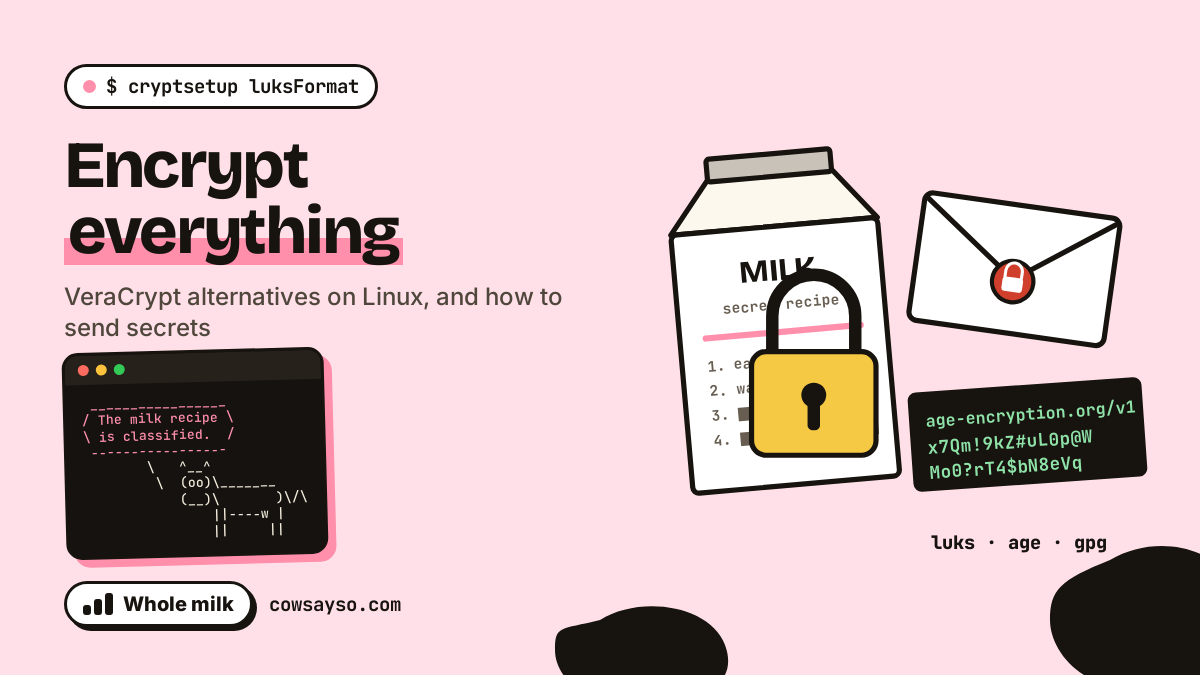
Ercolina the cow has data. Precious data. Data that, in the wrong hands, could bring down governments: a secret recipe, a password, a diary, a tiramisu, and her fantasy football lineup. Today we encrypt all of it, on Linux, without VeraCrypt, and then we send some of it to her friend Pina without the postman, the cloud or the Wi-Fi at the café being able to read a single word.
This is a whole-milk post: lots of terminal. Every command was really run, on Debian 13, with cryptsetup 2.7, gocryptfs 2.5, age 1.2, GnuPG 2.4, magic-wormhole 0.18 and rclone 1.60, on two machines called barn (Ercolina’s) and farm (Pina’s). The outputs are the real ones; we only cut a few lines of noise from our test containers, and the passphrases you see are for demonstration only. Please don’t use correct-horse-battery-moo. It is now the least secret passphrase on the internet.
First: what’s wrong with VeraCrypt?
Nothing, really. VeraCrypt is a fork of TrueCrypt, first released in June 2013 by Mounir Idrassi of IDRIX. A year later, on 28 May 2014, TrueCrypt was discontinued in mysterious circumstances, and VeraCrypt became the obvious heir. It was audited by QuarksLab in 2016, it fixed what the audit found, and it also runs on Linux.
But on Linux, VeraCrypt is a guest. The house already has its own tools, built into the kernel or packaged by your distribution, each one specialised: one for disks, one for folders, one for single files, one for sending. And as a bonus, cryptsetup, the first tool we’ll see, can even open your old TrueCrypt and VeraCrypt volumes (cryptsetup open --type tcrypt), so moving away doesn’t mean leaving anything behind.
What encryption protects you from (and what it doesn’t)
Before typing anything, the question nobody asks: who are you hiding from? Disk encryption protects data at rest: a laptop stolen while switched off, a USB stick forgotten on a train, a disk thrown away without wiping it. Whoever finds it sees noise.
It does not protect a computer that is switched on and unlocked. Once you’ve typed the passphrase, the data is readable by you, by your programs, and by any malware running as you. Encryption is a lock on the door, not a bodyguard in the living room.
LUKS: the safe built into Linux
LUKS (Linux Unified Key Setup) was created by Clemens Fruhwirth in 2004 and is the standard for disk encryption on Linux. The tool you use is cryptsetup; the actual encryption is done by the kernel’s dm-crypt. It’s the closest thing to a VeraCrypt volume, and since cryptsetup 2.1 the default format is LUKS2.
The easiest way: at install time
If you’re installing Linux on a laptop, the best encryption is the one you don’t have to think about. Debian’s installer, in guided partitioning, offers to set up the whole disk with encrypted LVM, and Ubuntu’s installer has an equivalent option. One passphrase at boot, and your data is encrypted.
A safe in a file
For the VeraCrypt-style experience, a file that contains an encrypted disk, LUKS works on an ordinary file too. Everything in this section runs as root (or put sudo in front). First, we create a 64 MB file and format it as LUKS:
# fallocate -l 64M secrets.img
# cryptsetup luksFormat secrets.img

WARNING!
========
This will overwrite data on secrets.img irrevocably.

Are you sure? (Type 'yes' in capital letters): YES
Enter passphrase for secrets.img:
Verify passphrase:
Then we open it (it appears as a virtual disk in /dev/mapper/vault), create a filesystem, mount it and put Ercolina’s most precious document inside: the secret recipe for milk.
# cryptsetup open secrets.img vault
Enter passphrase for secrets.img:
# mkfs.ext4 -q /dev/mapper/vault
# mkdir -p /mnt/vault && mount /dev/mapper/vault /mnt/vault
# echo '1. Eat grass. 2. Wait. 3. Milk.' > /mnt/vault/secret_recipe.txt
# ls /mnt/vault
lost+found  secret_recipe.txt
# umount /mnt/vault
# cryptsetup close vault
Yes, the recipe for milk is “eat grass, wait”. Every cow knows it. It is still the most sensitive document in the barn, and it deserves military-grade encryption. Now let’s check that the file really doesn’t contain it in clear text:
# grep -c 'Eat grass' secrets.img
0
# xxd -l 16 secrets.img
00000000: 4c55 4b53 babe 0002 0000 0000 0000 4000  LUKS..........@.
Zero matches. The only readable thing is the magic signature LUKS at the beginning: the file openly says it’s encrypted, but not what it contains. Let’s look inside the header:
# cryptsetup luksDump secrets.img
LUKS header information
Version:        2
[...]
Data segments:
  0: crypt
        offset: 16777216 [bytes]
        length: (whole device)
        cipher: aes-xts-plain64
        sector: 4096 [bytes]

Keyslots:
  0: luks2
        Key:        512 bits
        Priority:   normal
        Cipher:     aes-xts-plain64
        Cipher key: 512 bits
        PBKDF:      argon2id
        Time cost:  21
        Memory:     238814
        Threads:    4
[...]
Two things worth knowing. The data is encrypted with AES in XTS mode, with a 512-bit key (two 256-bit AES keys, as XTS requires). And your passphrase doesn’t encrypt the data directly: it goes through Argon2id, a deliberately slow and memory-hungry function, to unlock a keyslot that contains the real key. cryptsetup asks Argon2id for up to 1 GiB of memory and about two seconds of work for each attempt; our small test server had less free memory, so it settled for about 233 MB. That’s what makes guessing passphrases painful for an attacker: every single attempt costs them the same.
Spare keys and the header
Since the real key is separate from the passphrase, you can have several passphrases (LUKS2 has up to 32 keyslots), for example a spare one to keep in a safe place. And you should back up the header:
# cryptsetup luksAddKey secrets.img
Enter any existing passphrase:
Enter new passphrase for key slot:
Verify passphrase:
# cryptsetup luksDump secrets.img | grep -E '^  [0-9]: luks2'
  0: luks2
  1: luks2
# cryptsetup luksHeaderBackup secrets.img --header-backup-file secrets-header.img
# du -h secrets-header.img
16M     secrets-header.img
The cryptsetup manual is blunt: if the header of a LUKS volume gets damaged, all data is permanently lost unless you have a header backup. A few corrupted kilobytes at the start of the disk, and the rest is noise forever. Keep the backup somewhere else, and remember it opens with the passphrases that were valid when you made it.
gocryptfs: an encrypted folder, file by file
LUKS has a problem with the cloud. If you put a 1 GB encrypted container in Dropbox and change one line in one file, the sync tool sees a modified 1 GB blob. gocryptfs solves this by encrypting each file separately, names included. It was inspired by EncFS and set out to fix its security issues; it reached version 1.0 in July 2016, and its cryptographic design was audited by Taylor Hornby in 2017. It runs in user space via FUSE: no root needed.
$ mkdir vault.enc vault
$ gocryptfs -init vault.enc
Choose a password for protecting your files.
Password:
Repeat:

Your master key is:

    f04b5a2c-e9d3d500-d8069602-af81a998-
    9ae78829-586598a1-205edcf1-8bd6df41

If the gocryptfs.conf file becomes corrupted or you ever forget your password,
there is only one hope for recovery: The master key. Print it to a piece of
paper and store it in a drawer. This message is only printed once.
The gocryptfs filesystem has been created successfully.
You can now mount it using: gocryptfs vault.enc MOUNTPOINT
Yes, we just published our master key on the internet. It protects a cow’s diary, and we are prepared to live with the consequences. You, on the other hand, should do exactly what it says: print it and put it in a drawer, because if you forget the password, it’s the only way back.
Now we mount it and move in Ercolina’s second most precious data: her only password, her diary and a photo album.
$ gocryptfs vault.enc vault
Password:
Decrypting master key
Filesystem mounted and ready.
$ echo 'moo123' > vault/passwords.txt
$ echo 'Dear diary, today I ate grass.' > vault/diary.txt
$ mkdir vault/photos && echo jpeg > vault/photos/me_in_the_meadow.jpg
$ ls vault
diary.txt  passwords.txt  photos
$ ls vault.enc
IOH1OaNoHynzsrt6kGTruQ  gocryptfs.conf  s-en7POhG6H0wPSm0d2v_Q
gaJDrpg_xigkGQ4N-KTB-A  gocryptfs.diriv
$ fusermount -u vault
$ ls vault
$
On the left, in vault, you work normally. On the right, in vault.enc, there’s what you sync to the cloud: unreadable names, encrypted content, plus a configuration file. Unmount, and vault is an empty folder again.
Note that the photo me_in_the_meadow.jpg is five bytes long and contains the word “jpeg”. Ercolina is not a great photographer. It is encrypted anyway, because encryption doesn’t judge.
moo123 as a password and then protecting it with AES-256. Wrong. The strongest lock in the world, with the key under the doormat. A passphrase of several random words, the famous “correct horse battery staple” from xkcd, is easier to remember and much harder to guess.gocryptfs is also honest about what it doesn’t hide, and it says so in its threat model: whoever holds the encrypted folder can compute the size of each file from its encrypted size, and a cloud provider can see which parts of a file change when you write. The content is safe; the shape isn’t completely.
age: one file, zero drama
Sometimes you don’t want a disk or a folder: you want to encrypt one file. Here VeraCrypt has nothing to offer, and on Linux there’s a small modern tool that does exactly this: age, designed by Ben Cartwright-Cox and Filippo Valsorda. Its motto is small explicit keys and no config options. With a passphrase:
$ echo 'Milk: 2 litres. Grass: unlimited. Fantasy football: bench Ercolina.' > shopping_list.txt
$ age -p -o shopping_list.txt.age shopping_list.txt
Enter passphrase (leave empty to autogenerate a secure one):
Confirm passphrase:
$ head -3 shopping_list.txt.age
age-encryption.org/v1
-> scrypt 389PovIwgB3dwl239zZMeQ 18
8TZe4/qJXGrBcpEFCB6g1UGMe/HROQa4MrQ1BrXmanc
$ age -d shopping_list.txt.age
Enter passphrase:
Milk: 2 litres. Grass: unlimited. Fantasy football: bench Ercolina.
The shopping list contains milk (an obvious conflict of interest), grass, and a fantasy football decision that could destroy a friendship. Now it’s safe. If you leave the passphrase empty, age generates a good one for you:
$ age -p -o diary.age shopping_list.txt
Enter passphrase (leave empty to autogenerate a secure one):
age: using autogenerated passphrase "decade-lawsuit-hair-devote-stumble-never-sister-health-menu-bicycle"
Ten random words, much better than anything a cow can invent. But the real strength of age is keys: a public key you can give to anyone, and a private key you keep:
$ age-keygen -o key.txt
Public key: age18cvftg9ppuq7nsgs3axwpmds4xp90qhh6sx6qunnyqp5gxwyp4hq4v8cmw
Whoever has your public key can encrypt files that only you can open. Which brings us to the most interesting part.
Sending encrypted data
Encrypting data for yourself is half the job. The other half is sending it to someone, through channels that by definition you don’t control: email, chat, cloud, a USB stick in an envelope. The idea is always the same: encrypt before sending, with a key that only the recipient has, and then the channel doesn’t matter.
age + SSH keys + scp
Here’s the trick that makes age delightful: it can encrypt to an SSH public key. Many people already have one, and if they use GitHub it’s even public: age -R accepts the list at https://github.com/USERNAME.keys. Pina gives Ercolina her ~/.ssh/id_ed25519.pub. Ercolina encrypts the tiramisu recipe and sends it with scp:
ercolina@barn:~$ cat pina.pub
ssh-ed25519 AAAAC3NzaC1lZDI1NTE5AAAAIJhPpBdu1+7R6ChAMwCWGpz5cuXvt5BTnG6xBu3clAJC pina@farm
ercolina@barn:~$ age -R pina.pub -o tiramisu.txt.age tiramisu.txt
ercolina@barn:~$ scp tiramisu.txt.age pina@farm:
tiramisu.txt.age                              100%  299   881.7KB/s   00:00
Pina, on farm, decrypts it with her SSH private key (which, being well brought up, is protected by a passphrase):
pina@farm:~$ age -d -i .ssh/id_ed25519 tiramisu.txt.age
Enter passphrase for ".ssh/id_ed25519":
TOP SECRET tiramisu
- 500 g mascarpone
- 3 eggs
- coffee
- the milk is mine, obviously
Note that scp was already encrypting the transfer. But with age the file stays encrypted after arriving: on Pina’s disk, in her backups, in an email attachment. Encrypting the channel protects the journey; encrypting the file protects it forever.
GnuPG: the grandfather, still in service
GnuPG was started by Werner Koch; version 1.0 came out in September 1999. It implements OpenPGP, the standard for encrypted and signed email. It’s more complicated than age, but it does one thing age doesn’t: signatures, to prove who wrote something. Pina creates her key pair (today’s defaults: Ed25519 for signing, Curve25519 for encryption, expiry in three years) and exports the public part:
pina@farm:~$ gpg --quick-generate-key "Pina <pina@example.com>"
About to create a key for:
    "Pina <pina@example.com>"

Continue? (Y/n) Y
[...]
public and secret key created and signed.

pub   ed25519 2025-10-08 [SC] [expires: 2028-10-07]
      FF1C6348AFD6287C041CD576DD673AF363FF991F
uid                      Pina <pina@example.com>
sub   cv25519 2025-10-08 [E]

pina@farm:~$ gpg --armor --export pina@example.com > pina.asc
pina@farm:~$ head -3 pina.asc
-----BEGIN PGP PUBLIC KEY BLOCK-----

mDMEaOY48BYJKwYBBAHaRw8BAQdAujNgL3QSzKzyqnsYNFsYBzIh7bjoDTaXPyQ1
Ercolina imports it. And here comes the most important moment of the whole article:
ercolina@barn:~$ gpg --import pina.asc
gpg: key DD673AF363FF991F: public key "Pina <pina@example.com>" imported
gpg: Total number processed: 1
gpg:               imported: 1
ercolina@barn:~$ gpg --fingerprint pina@example.com
pub   ed25519 2025-10-08 [SC] [expires: 2028-10-07]
      FF1C 6348 AFD6 287C 041C  D576 DD67 3AF3 63FF 991F
uid           [ unknown] Pina <pina@example.com>
sub   cv25519 2025-10-08 [E]
See that [ unknown]? GnuPG is saying: “I have a key that says it’s Pina’s. I have no idea if it really is.” Anyone can create a key with the name Pina in it. If Ercolina tries to encrypt anyway, GnuPG stops her:
ercolina@barn:~$ gpg --encrypt --armor -r pina@example.com tiramisu.txt
gpg: DAC0CC3B54FFFB3D: There is no assurance this key belongs to the named user
[...]
It is NOT certain that the key belongs to the person named
in the user ID.  If you *really* know what you are doing,
you may answer the next question with yes.

Use this key anyway? (y/N)
The right answer is not “y”. The right answer is to call Pina, and have her read out the fingerprint of her key (FF1C 6348 …). If it matches, Ercolina certifies the key locally, and from then on GnuPG trusts it. Then she encrypts and signs, with --armor so the result is text you can paste into an email:
ercolina@barn:~$ gpg --quick-lsign-key FF1C6348AFD6287C041CD576DD673AF363FF991F
[...]
The signature will be marked as non-exportable.
ercolina@barn:~$ gpg --fingerprint pina@example.com | grep uid
uid           [  full  ] Pina <pina@example.com>
ercolina@barn:~$ gpg --encrypt --sign --armor -r pina@example.com tiramisu.txt
ercolina@barn:~$ head -3 tiramisu.txt.asc
-----BEGIN PGP MESSAGE-----

hF4D2sDMO1T/+z0SAQdAzID0bafJXcqn2KUtcvXbOc+DbaYRBWPBFMBL1yMPwxow
Pina, who in turn had verified and certified Ercolina’s key, decrypts and checks the signature:
pina@farm:~$ gpg --decrypt tiramisu.txt.asc
gpg: encrypted with cv25519 key, ID DAC0CC3B54FFFB3D, created 2025-10-08
      "Pina <pina@example.com>"
Passphrase:
TOP SECRET tiramisu
- 500 g mascarpone
- 3 eggs
- coffee
- the milk is mine, obviously
gpg: Signature made Wed Oct  8 10:20:00 2025 UTC
gpg:                using EDDSA key 554769C545F4065054DC37485531F5071B2CF778
gpg: Good signature from "Ercolina <ercolina@example.com>" [full]
“Good signature”: the tiramisu really comes from Ercolina, and nobody changed it on the way. It’s also, legally, a written statement that the milk is hers. Pina may want to consult a lawyer.
magic-wormhole: from computer to computer, with a code
And if you just need to send a file to someone, right now, with no keys to exchange? magic-wormhole, by Brian Warner, uses a short code you can read out over the phone:
ercolina@barn:~$ wormhole send lineup.txt
Sending 61 Bytes file named 'lineup.txt'
Wormhole code is: 2-midsummer-ahead

On the other computer, please run:

wormhole receive 2-midsummer-ahead

Sending (->relay:tcp:magic-wormhole-transit.debian.net:4001)..
100% 61.0/61.0 [00:00<00:00, 115kB/s]
File sent.. waiting for confirmation
Confirmation received. Transfer complete.
(It also prints a QR code, which we’ve spared you.) Pina types the code, with tab completion for the words:
pina@farm:~$ wormhole receive
Enter receive wormhole code: 2-midsummer-ahead
 (note: you can use <Tab> to complete words)
Receiving file (61 Bytes) into: 'lineup.txt'
ok? (Y/n): y
Receiving (->relay:tcp:magic-wormhole-transit.debian.net:4001)..
100% 61.0/61.0 [00:00<00:00, 258kB/s]
Received file written to lineup.txt
pina@farm:~$ cat lineup.txt
Fantasy football lineup: Ercolina captain. Do NOT tell Pina.
Behind the scenes the two computers use a PAKE (SPAKE2): the short code becomes a strong shared key, and everything that passes through the relay servers is end-to-end encrypted. The code works only once, and an attacker gets a single attempt with a 1 in 65,536 chance; a failed guess shows up as an error, so you notice.
The file arrived safely, encrypted end to end, unreadable by anyone in between. Unfortunately it says “Do NOT tell Pina”, and it was sent to Pina. Encryption protects the message from everyone except the recipient. Choosing the recipient is still up to you.
rclone crypt: the cloud sees only noise
Last case: backups on a cloud you don’t trust (which, as a rule, is every cloud). rclone talks to dozens of storage services, and its crypt remote encrypts everything on your side before uploading. To try it without a cloud account, we use Pina’s machine over SFTP as the “cloud”:
ercolina@barn:~$ rclone config create farm sftp host=farm user=pina key_file=~/.ssh/id_ed25519
[farm]
type = sftp
host = farm
user = pina
key_file = /home/ercolina/.ssh/id_ed25519
ercolina@barn:~$ rclone config create secretfarm crypt remote=farm:cloud password=correct-horse-battery-moo --obscure
[secretfarm]
type = crypt
remote = farm:cloud
password = *** ENCRYPTED ***
ercolina@barn:~$ rclone copy diary secretfarm:diary
ercolina@barn:~$ rclone ls secretfarm:
       15 diary/monday.txt
        7 diary/tax_return_2025.pdf
       46 diary/tuesday.txt
Through secretfarm: Ercolina sees her diary and her tax return in clear. Here’s what farm, the “cloud”, actually stores:
ercolina@barn:~$ rclone ls farm:cloud
       94 qju1hn84i7nm8tqd5k73oaqvtg/5a13sotkaq3tdqcrafhluamiqc
       55 qju1hn84i7nm8tqd5k73oaqvtg/94uo7ujqoc3rel61oi194s2uhuplk2gn36ev8bu67s8ok00gbjr0
       63 qju1hn84i7nm8tqd5k73oaqvtg/s1oq8lj5hhci3o9jgua565pgl0
pina@farm:~$ xxd -l 16 cloud/qju1hn84i7nm8tqd5k73oaqvtg/5a13sotkaq3tdqcrafhluamiqc
00000000: 5243 4c4f 4e45 0000 5c45 40c8 0a1d f7f0  RCLONE..\E@.....
Encrypted names, encrypted content (XSalsa20-Poly1305 for the data, AES-256 for the names), and a header that starts with RCLONE. Each file is exactly 48 bytes bigger than the original: a 32-byte header plus a 16-byte authenticator for every 64 KiB block. And for Ercolina, everything works as usual:
ercolina@barn:~$ rclone cat secretfarm:diary/tuesday.txt
Tuesday: more grass. Pina looked at me funny.
The documentation is clear about the limits: sizes and modification times are visible, and so is the directory structure. Also, the password in rclone.conf is only obscured, not encrypted: anyone who reads that file can recover it. rclone can encrypt its own configuration with a password; use that.
password = *** ENCRYPTED *** in the output means the configuration file is safe. Wrong. It’s obscured, which in password language means “wearing sunglasses”. Protect rclone.conf, or encrypt the configuration.Which tool for which job
| You want to… | Use | Like VeraCrypt? |
|---|---|---|
| Encrypt the whole laptop disk | LUKS, at install time | Yes, system encryption |
| Carry a “safe” file or a USB stick | LUKS on a file or device | Yes, a volume |
| Encrypt a folder that syncs to the cloud | gocryptfs | Better: file by file |
| Encrypt one file, for yourself or someone else | age (or GnuPG) | No, it doesn’t do this |
| Encrypt and sign an email | GnuPG | No |
| Send a file to someone, right now | magic-wormhole | No |
| Back up to a cloud you don’t trust | rclone crypt | No |
And one rule that applies to all of them: encrypted data without the key is indistinguishable from random noise, including for you. Before encrypting anything important, decide where the passphrase, the spare key, the gocryptfs master key and the LUKS header backup will live. Not inside the thing you’re encrypting.
passwords.txt. It’s a safe that contains its own combination. Very secure. Forever.Moo. 🐄
Sources
All commands were run on Debian 13 with cryptsetup 2.7.5, gocryptfs 2.5.1, age 1.2.1, GnuPG 2.4.7, magic-wormhole 0.18.0 and rclone 1.60.1; the outputs shown are the real ones, with a few lines of container noise removed.
- Wikipedia, “VeraCrypt”
- Wikipedia, “Linux Unified Key Setup”
- cryptsetup(8) manual page
- cryptsetup 2.1.0 release notes (LUKS2 becomes the default)
- Debian installation guide, guided partitioning
- gocryptfs, official site
- gocryptfs, threat model
- age, README
- age, format specification
- Wikipedia, “GNU Privacy Guard”
- Magic Wormhole documentation
- rclone, Crypt remote documentation
- Ubuntu Desktop documentation, advanced disk setup
- Wikipedia, “Disk encryption theory” (XTS)
- xkcd 936, “Password Strength”